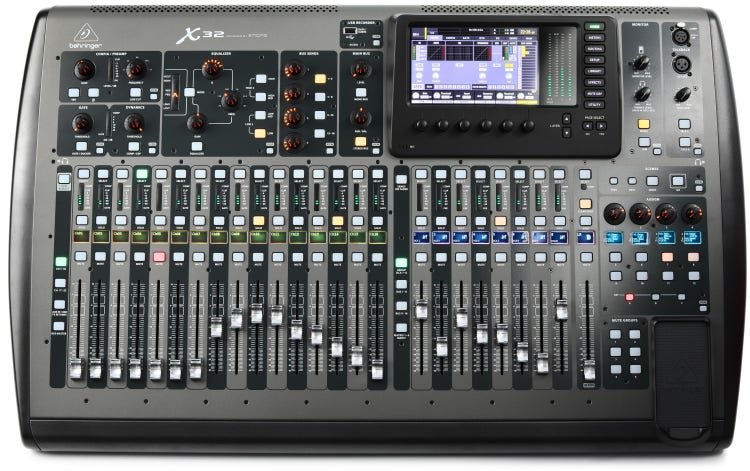
If you are searching for a used Behringer X32 for sale, you are likely weighing one of the most popular digital mixing consoles against your budget and rider requirements. The X32 has become a staple in rental inventories, houses of worship, clubs, and mobile setups because it packs 32 input channels, 16 mix buses, and full scene recall into a sub-$3k street price—even lower on the secondary market. For B2B buyers in CIS, the Middle East, South America, and Africa, the X32 offers a familiar workflow, widely available spare parts, and a large pool of engineers who already know the platform. That makes it a low-risk entry point for expanding your rental fleet or upgrading a fixed install without committing to a newer, less proven ecosystem.
Key specs to keep in mind when comparing listings: 32 local inputs (16 XLR combo + 16 XLR), 16 outputs, 40-bit floating-point DSP, dual AES50 ports for digital snakes, and USB audio interface capability. The X32 comes in several form factors—the full-size X32, X32 Compact, X32 Producer, and X32 Rack—so rank your needs before you buy. For rental firms, the full-size X32 with its 25 motorized faders and built-in screen is the easiest to sub-rent and rider-friendly. The Compact and Producer save space but sacrifice faders and local I/O; the Rack is ideal for installs controlled via tablet or laptop. Compared with the Midas M32 (same core architecture, higher price) or the Allen & Heath SQ-5 (different workflow, higher cost), the used X32 wins on price-to-channel count and ecosystem familiarity. Just avoid early production units with known encoder issues unless the price reflects the risk.
What to inspect on a used X32: first, power it up and check every fader for motor noise and smooth travel—sticky or noisy faders are common on heavily gigged units. Second, test all 32 inputs and 16 outputs for clean signal and no scratchy pots; run a sine sweep through each channel. Third, verify the AES50 ports with a digital snake or S16 stage box if included, and confirm the USB card works with a DAW. Fourth, check the screen for dead pixels and the encoders for skipped steps. Fifth, ask for the firmware version and whether the unit has been serviced; the X32 has had several firmware updates that improve stability. Finally, inspect the chassis for rack rash, bent corners, and evidence of liquid damage—especially important for units used in clubs or outdoor events. If possible, request a video of the console passing audio on all channels before committing.
Next step: shortlist two or three listings that match your form factor and budget, then request serial numbers to check production batches and service history. Ask sellers for a 48-hour return window or a bench-test video. For B2B buyers, confirm that the unit includes the power cable, any expansion cards (USB, Dante, or AES50), and rack ears if relevant. Factor in shipping and customs for cross-border purchases—used audio gear often moves between CIS, the Middle East, and Africa, so clarify Incoterms and warranty terms upfront. A well-inspected used X32 can deliver years of reliable service at a fraction of new cost, but only if you verify condition and completeness before payment.